

Download Folder Size Explorer – Free, Secure, and Powerful Windows Disk Space Analyzer Tool
Looking for a reliable way to manage your disk space on Windows? Folder Size Explorer is a free, lightweight, and secure software tool designed to help users gain complete visibility into their file system. Whether you're a home user trying to free up space on your C: drive or a professional managing large project folders, this tool delivers accurate, real-time insights into file and folder sizes.
With its intuitive interface and fast scanning engine, Folder Size Explorer makes it easy to identify large files, duplicate content, and storage bottlenecks. Unlike many other disk analysis tools, this software runs without requiring installation—just download, run, and start exploring your folders instantly. It’s ideal for users who want a no-fuss solution to optimize storage, improve system performance, and avoid clutter.
The tool supports deep scanning of local drives, network shares, and external storage devices, ensuring comprehensive analysis across all your data sources.
Key Features of Folder Size Explorer
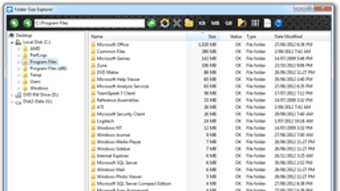
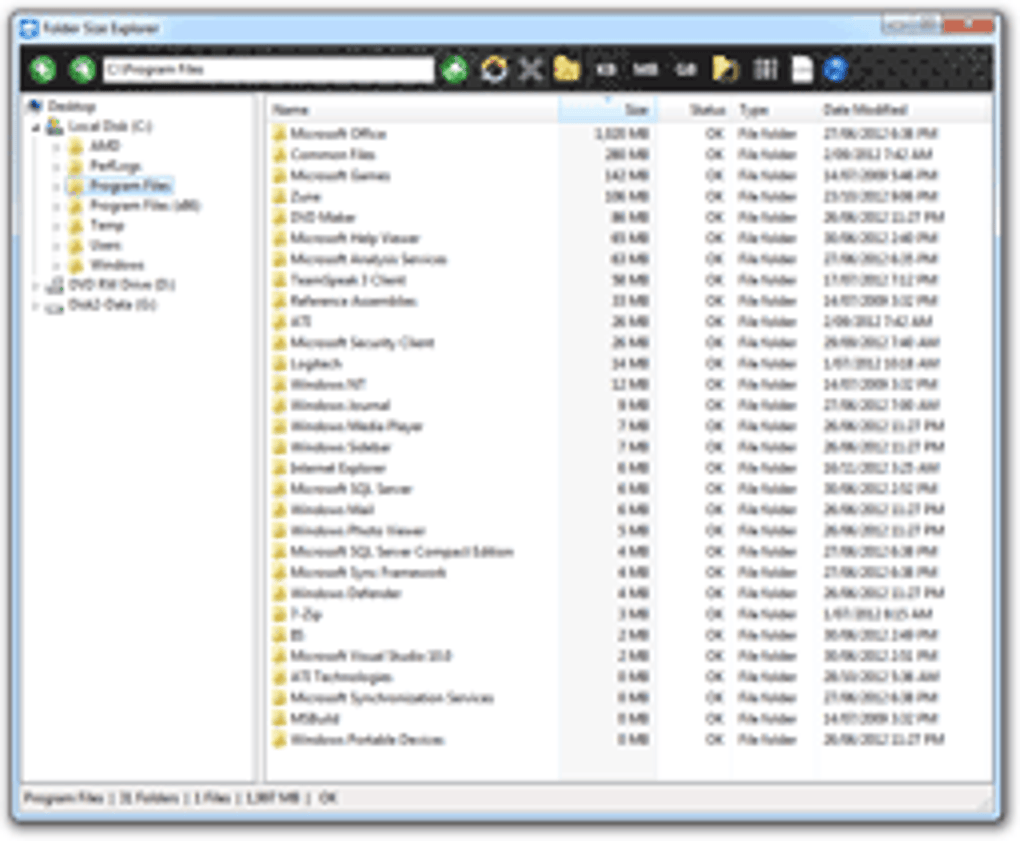
Folder Size Explorer stands out in the crowded field of disk management tools thanks to its powerful yet user-friendly feature set. One of its most impressive capabilities is real-time folder size visualization. As the software scans your system, it instantly displays a hierarchical breakdown of file sizes, allowing you to drill down from the root drive to individual subfolders. This visual tree view helps you quickly spot oversized folders—like a 10GB video folder buried in your Documents directory—that are silently consuming space.
Another standout feature is the duplicate file detection engine. Folder Size Explorer can scan for identical files based on content, not just file names. This is particularly useful for cleaning up redundant downloads, backups, or synced files that have piled up over time. The tool highlights these duplicates with color-coded indicators, making it simple to select and delete them safely.
For advanced users, the software includes custom filtering and search options. You can filter files by size (e.g., show only files over 500MB), file type (like .mp4, .iso, .zip), or date modified. These filters allow for targeted cleanup and better organization. Additionally, the tool supports exporting scan results in CSV or HTML format, which is great for documentation or sharing with IT teams.
Folder Size Explorer also offers network drive compatibility, enabling users to analyze shared folders on corporate networks without needing administrative access. This makes it a valuable asset for both personal and professional environments. With no background processes and minimal system resource usage, the software runs efficiently even on older machines.
How to Install and Use Folder Size Explorer on Windows
One of the biggest advantages of Folder Size Explorer is its portable nature. Unlike traditional software that requires installation, this tool is a standalone executable that you can run directly from a USB drive, desktop, or any folder. To get started, simply download the latest version from the official website, extract the ZIP file, and launch FolderSizeExplorer.exe. No admin rights or registry changes are needed—perfect for users in restricted environments like schools or workplaces.
Once launched, the interface greets you with a clean, minimal layout. Click the “Scan” button and select the drive or folder you want to analyze—be it C:\, your entire D: drive, or a specific project folder. The tool begins scanning immediately, displaying a progress bar and estimated time. During scanning, you can pause or stop the process at any time.
After the scan completes, you’ll see a detailed tree view of your selected location. Expand folders to explore subdirectories and view exact sizes. Right-click any folder to access quick actions like “Open in File Explorer”, “Copy Path”, or “Delete”. For deeper analysis, use the “Compare” function to see differences between two folders, which is helpful when syncing or migrating data.
For users who want to automate cleanup, Folder Size Explorer includes a “Smart Delete” mode. This feature suggests files for deletion based on size, age, and type, with a safety confirmation step to prevent accidental loss. All actions are reversible, and the tool logs changes for audit purposes.
Compatibility and System Requirements
Folder Size Explorer is specifically designed for Windows operating systems, supporting Windows 7, 8, 8.1, and 10 (both 32-bit and 64-bit versions). It is fully compatible with modern Windows environments, including Windows 11, and works seamlessly on both desktops and laptops. The software does not require .NET Framework or any additional runtime libraries, making it easy to deploy across different machines.
Due to its lightweight design, Folder Size Explorer runs efficiently even on systems with limited RAM (as low as 1GB) and older processors. It uses minimal CPU and memory during scanning, ensuring your computer remains responsive while the analysis runs. This makes it ideal for users with older hardware or those who need to run multiple tools simultaneously.
While the tool is currently only available for Windows, the developer has hinted at future support for Mac and Linux in upcoming releases. For mobile users, there are no native apps for Android or iOS, but you can use the exported reports on mobile devices via email or cloud storage.
For enterprise users, Folder Size Explorer supports command-line interface (CLI) mode, allowing IT administrators to integrate it into batch scripts or automated maintenance workflows. This is especially useful for managing large-scale deployments or scheduled disk audits.
Pros and Cons of Folder Size Explorer
Pros
- Free and portable – No installation required; runs from any location.
- Fast and accurate scanning – Delivers results in seconds, even on large drives.
- Duplicate file detection – Finds identical files based on content, not just names.
- Intuitive interface – Easy to navigate for beginners and advanced users alike.
- Exportable reports – Save results in CSV or HTML for sharing and documentation.
- Lightweight – Minimal impact on system performance.
- Network drive support – Analyze shared folders without admin rights.
Cons
- No Mac or Linux version – Limited to Windows only at this time.
- No built-in file recovery – Cannot restore deleted files after cleanup.
- Basic UI – Lacks advanced customization options for visual themes.
- Not cloud-integrated – Cannot analyze cloud storage directly (e.g., OneDrive, Google Drive).
- Learning curve for CLI – Command-line mode requires technical knowledge.
Frequently Asked Questions (FAQ)
Is Folder Size Explorer free to download and use?
Yes, Folder Size Explorer is completely free to download and use for personal and commercial purposes. There are no hidden fees, subscription models, or trial limitations. The developer offers the full-featured version at no cost, supported by optional donations.
Can I use Folder Size Explorer on Windows 11?
Absolutely. Folder Size Explorer is fully compatible with Windows 11, including both 64-bit and 32-bit versions. It has been tested and optimized for the latest Windows updates and security features.
Does Folder Size Explorer scan network drives?
Yes, the software can scan network shares and mapped drives. You can analyze folders on your company’s file server or shared storage without needing administrative privileges.
Can I recover files after deleting them with Folder Size Explorer?
Folder Size Explorer does not include file recovery features. Once files are deleted through the tool, they go to the Recycle Bin. If you empty the Recycle Bin, recovery is not possible through this software. Always back up important data before cleanup.
How often should I run Folder Size Explorer?
It’s recommended to run Folder Size Explorer every 1–2 months, or whenever you notice your disk space is running low. For power users managing large media libraries or project files, a monthly scan is ideal to maintain optimal storage health.
Final Verdict: Why You Should Download Folder Size Explorer Today
If you're tired of running out of disk space or struggling to find large files hidden in your folders, Folder Size Explorer is the solution you’ve been waiting for. This free, secure, and powerful tool offers a rare combination of speed, accuracy, and simplicity. Whether you're a casual user, a student, or an IT professional, its intuitive interface and robust features make it one of the best disk space analyzers available for Windows.
With real-time scanning, duplicate detection, and exportable reports, Folder Size Explorer empowers you to take full control of your storage. The fact that it’s portable and doesn’t require installation makes it perfect for use on multiple devices or in restricted environments. While it currently lacks Mac and Linux support, its performance on Windows systems is outstanding.
Don’t let clutter slow down your system. Download Folder Size Explorer now and reclaim your disk space with confidence. It’s a must-have utility for anyone serious about digital organization and system optimization.







